 Bumblly
Remutto guide
Roku without a remote: use your phone instead
The Roku remote is gone, but the Roku is still on your Wi-Fi. Then your phone can take over. Roku has its own app, and other remote apps work too. This guide shows the steps, the one setting that can block phone apps, and what to do if the Roku is not on your Wi-Fi.
We make Remutto, one of the apps in this guide. We start with the free options from the TV makers, and we say where each one falls short.
Check first
The Roku must already be on your Wi-Fi
A phone app finds a Roku over your home network. Roku's own instructions start with the same rule: make sure your phone and your Roku are on the same Wi-Fi network (Roku Support). If the Roku is on your network, any of the apps below can control it. If it is not, skip to the section about a Roku that is offline.
Free
Roku's own app
The Roku remote app is free for iPhone and Android. Roku says it works with Roku devices on Roku OS 6.2 or later, that certain features may need you to sign in to your Roku account, and that the app is available in a list of countries that includes the United States, Canada and the United Kingdom (Roku Support). If it is available where you live, it is a good choice.
Step by step
Control your Roku with Remutto
- Use the same Wi-Fi. Connect your phone to the same Wi-Fi network as the Roku. Not a guest network, and no VPN on the phone.
- Open Remutto. Remutto searches your network and lists what it finds. On iPhone, allow Local Network access when asked.
- Tap your Roku. A Roku needs no pairing code. Remutto connects as soon as you tap it.
- Use the remote. Power, volume, mute, the arrows, OK, Back and Home are on the first screen. Remutto reconnects by itself next time you open it.
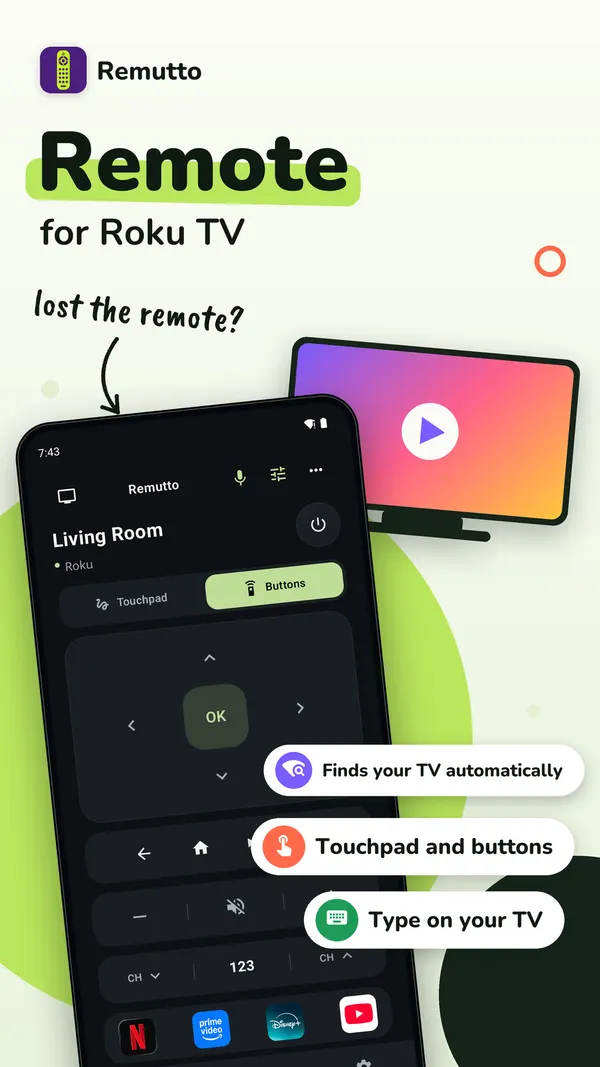
On Android, Remutto also comes as Remote for Roku TV. It is the same app with Roku first, and it works with other brands too. It works with Roku TVs and with Roku streaming players.
Stuck?
The app sees the Roku, but the buttons do nothing
Newer Roku software has a setting called Control by mobile apps, under Settings > System > Advanced system settings. Roku describes three levels (Roku Support):
- Limited: only typing, opening apps and your activity in the app.
- Enabled: phone apps can always control the Roku, but it only answers devices on the same local network.
- Permissive: any device inside or outside your network could send commands.
Remutto needs Enabled. You do not need Permissive. If you have no remote, you can try to open this menu with Roku's own app.
To be fair: Roku says it strongly advises against third-party apps for security reasons (Roku Support). Here is what Remutto does. It sends the Roku's normal network commands from your phone, inside your home network only. There is no account and no server in between.
Offline
If the Roku is not on your Wi-Fi
New router, new Wi-Fi password, or a move? Then the Roku cannot be found by any phone app, including Roku's own. To connect it to the new network you need a remote for a moment: a replacement Roku remote, or a borrowed one. A Roku TV may also have a button on the TV itself for power and inputs; the TV's manual shows where.
Power
Turning a Roku TV on from your phone
On a Roku TV, Remutto's tip is to turn on Fast TV Start, under Settings > System > Power. Roku notes that Fast TV Start uses more power than normal standby (Roku Support).
Remutto on Android can then send a Wake-on-LAN signal to a Roku TV it has connected to before. On iPhone, Remutto's power key works while the Roku still answers on the network. A Roku streaming stick has no screen of its own: the TV it is plugged into must be on.
Free and Pro
What Remutto costs
Remutto needs no account. After your first connection, the whole remote is free for 3 minutes. After that, 5 basic presses a day stay free: power, volume, mute, the arrows, OK, Back and Home. They come back at midnight. Remutto Pro unlocks the whole remote with no daily limit, plus the keyboard, touchpad, play and pause, channel buttons, app shortcuts, input switching and more TVs. Pro is a one-time purchase, not a subscription. The App Store or Google Play shows your price before you buy.
TV commands go from your phone straight to the TV over your home network. There is no account and no Bumblly server in between. See the Remutto privacy policy.
Remutto is not affiliated with Roku.
FAQ
Questions
Can I use my Roku without the remote?
Yes, if the Roku is already on your Wi-Fi. Then a phone app on the same network can control it: Roku's own app or another remote app such as Remutto.
Do I need a Roku account?
Roku says certain features of its own app may need you to sign in to your Roku account. Remutto needs no account.
Why does the app see my Roku but the buttons do nothing?
Check Settings, System, Advanced system settings, Control by mobile apps on the Roku. Phone remote apps need it set to Enabled.
My Roku is not on Wi-Fi. Can a phone app help?
No. An app cannot find a Roku that is not on your network. Use a replacement or borrowed remote once to connect it.
Is Remutto free?
Partly. After your first connection the whole remote is free for 3 minutes. Then 5 basic presses a day stay free. Remutto Pro unlocks everything with one payment, no subscription.
Get Remutto
Your phone as a Wi-Fi TV remote
Remutto finds your TV on your home Wi-Fi and works without an account. After your first connection the whole remote is free for 3 minutes; after that, 5 basic presses a day stay free. Remutto Pro unlocks everything with one payment, no subscription. On Google Play: Remote for Roku TV.
All Remutto guides · Lost TV remote · Phone as a TV remote · Turn on a TV without the remote · Remutto for Roku
Sources
Sources
We link to the pages behind every statement about another app or device. They can change after the date we checked them.
- How to install the Roku remote app, Roku Support. Last updated November 10, 2026. Checked November 14, 2026.
- How to keep audio playing while your Roku TV screen is turned off, Roku Support. Last updated June 30, 2026. Checked November 14, 2026.