 Bumblly
TextMint guide
How to keep a record of texts with a landlord or employer
A repair that was promised, a deposit, a change of schedule, a question about pay: these often happen by text. If there is a problem later, the conversation is your memory. Here is how to keep it in a form you can show to someone else.
We make TextMint, an app that turns conversations into dated PDFs. Most tips here work with any method. Nothing here is legal advice.
Why
Why a record helps
Months later, nobody remembers exactly who said what. A dated record shows when you reported the leak, when the landlord answered, or when your manager changed your hours. It also helps you stay calm and stick to the facts.
When
When to save the conversation
- Right after something important: an agreement, a complaint, a refusal or a deadline.
- Every few weeks while a problem is going on.
- Before you change phones, reset your phone or delete a chat app.
- Before you move out or leave a job, when you may lose access to a work phone or group.
Habits
Good habits that cost nothing
- Keep it in writing. After a phone call, send a short text that sums up what was agreed.
- One topic, one place. Try to keep the conversation with one person in one chat.
- Do not edit or delete. Keep the conversation and the photos you sent, such as pictures of damage, as they are.
- Keep the originals. Keep the export, screenshots or recording next to any PDF you make.
Step by step
Make a tidy record with TextMint
TextMint turns the conversation into a PDF with every message, its date, time and sender, and page numbers on every page.
- Bring the conversation in. Use a WhatsApp export, overlapping screenshots or a screen recording, through Add a conversation.
- Use a clear name. In Options under Names, print the phone number as "Landlord" or "Manager". The chat itself does not change.
- Add a reference. Type an address, contract number or case number under Reference. It is printed on the cover and at the foot of every page.
- Pick the period. Turn on Only part of the conversation if only a certain period matters.
- Save it. Tap More, then Save to Files, and keep the PDF in a folder with the original files.
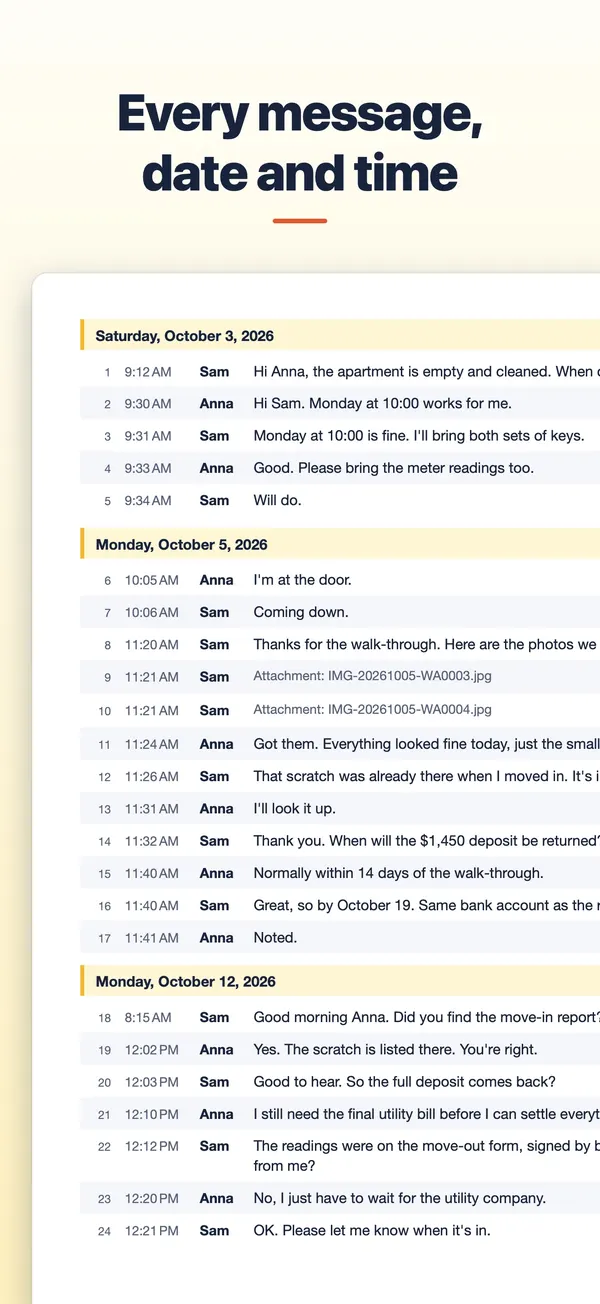
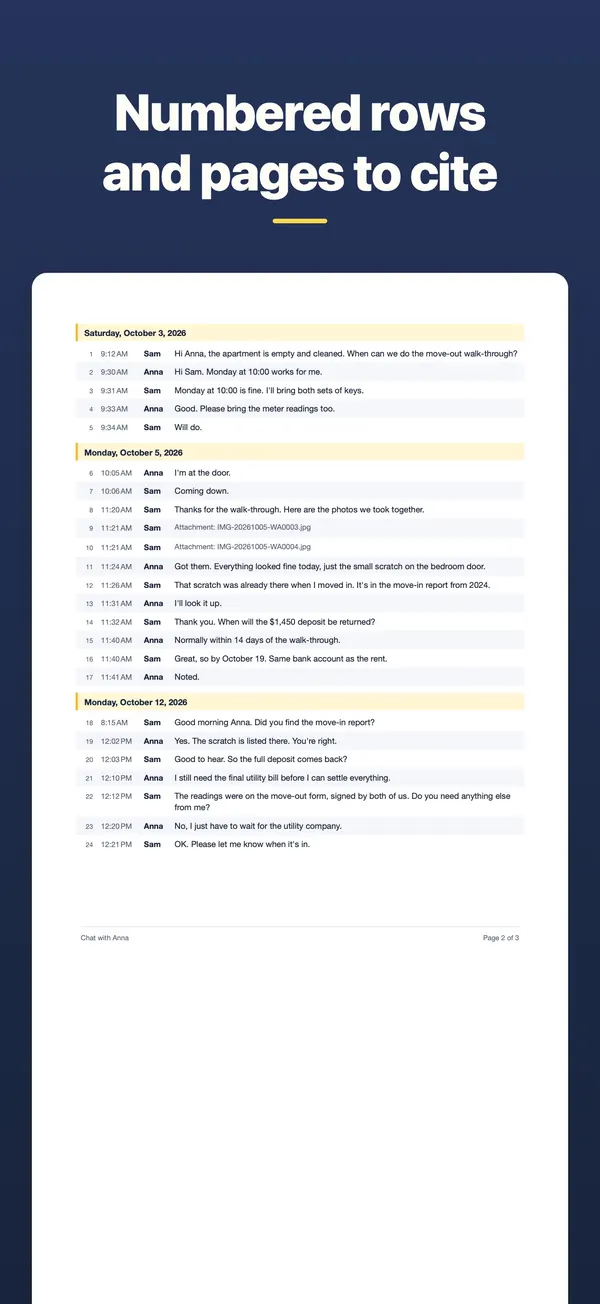
When the conversation goes on, export it again later. Each message keeps the same number in every export, so a note that says "see message 37" still points to the right message.
Help
Where to get advice
A record is not advice. For questions about your rights, ask a lawyer, a tenants' organization, a union or a legal aid office near you. Give them the PDF and keep the originals ready.
TextMint is free to download and to try. Without a purchase, an export holds the first 3 message pages and carries a PREVIEW mark. A full export is a one-time purchase: One Export for one conversation, or TextMint Pro for every conversation. There is no subscription.
Everything happens on your phone. There is no account and your conversations are never uploaded. See the TextMint privacy policy.
FAQ
Questions
How often should I save the conversation?
After anything important, and every few weeks while a problem is going on. Each new export of the same conversation keeps the same message numbers.
Will the PDF show phone numbers?
It shows the names from your source. In Options, under Names, you can print a number as a name such as Landlord.
Can I put several people in one PDF?
No. TextMint makes one document per conversation. Make one for each person or group chat.
Will a court accept the PDF?
TextMint makes a clear, dated record of a conversation. Whether a document is accepted is up to the court or office you give it to. Ask a lawyer what they need.
Get TextMint
Turn a conversation into a clean, dated PDF
TextMint is free to download and to try. A full export is a one-time purchase, for one conversation or for every conversation. No subscription, no account, and your chats never leave your phone.
All TextMint guides · Text messages as evidence · WhatsApp chat as PDF · Print text messages