 Bumblly
TextMint guide
How to save a WhatsApp chat as a PDF
WhatsApp can export a chat, but not as a PDF. You get a text file, in a ZIP file on iPhone, with one line per message. Here is how to export it, and how to turn it into a document you can read, print or send.
We make TextMint, the app at the end of this guide. The free ways come first, and for a short chat they may be all you need.
Free
What WhatsApp gives you
WhatsApp's Help Center describes Export chat for both phones:
- iPhone: open the chat, tap the contact's or group's name, then Export chat. If the chat has media, choose With all media, With selected media or Without media, then choose where it goes, such as Message, Save to Files or Notes. The chat is exported as a ZIP file (WhatsApp Help Center).
- Android: open the chat, tap the menu, then More and Export chat. Choose Without media or Include media, then choose where to send it (WhatsApp Help Center).
WhatsApp also says that view once messages are not exported, and that the export cannot be imported back into WhatsApp because it is a text file, not a backup (same pages).
Inside is a plain text file. Each message starts on a new line with its date, time and name. You can read it, but it has no pages, no page numbers and no layout. Photos, if you chose them, sit next to it as loose files.
Step by step
Turn the export into a PDF with TextMint on iPhone
The export is the best source TextMint can get: it already holds the date, time and name of every message, so nothing has to be read from pictures.
- Export the chat in WhatsApp. Open the chat, tap the contact's or group's name at the top, then tap Export chat.
- Choose the media. If the chat has photos, choose With all media, With selected media or Without media. With media puts the photos in the PDF too. Without media is faster and gives a smaller file.
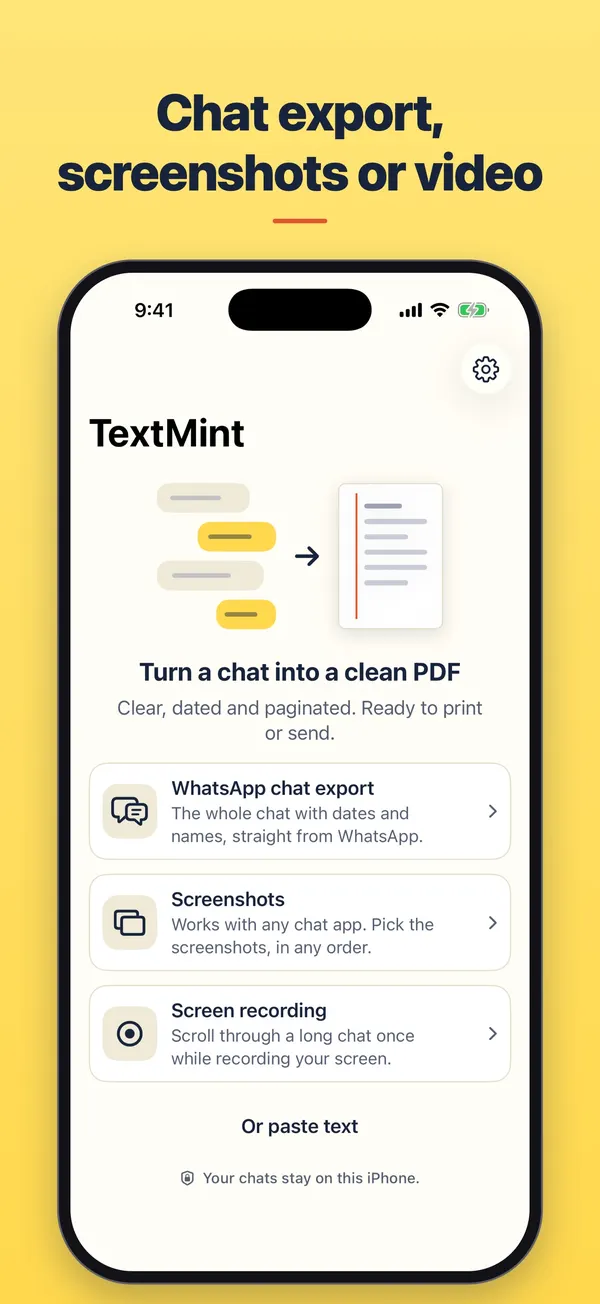
- Send it to TextMint. In the list of apps, choose TextMint. Or choose Save to Files, then open TextMint, tap Add a conversation, WhatsApp chat export and Choose file.
- Check the document. TextMint reads every message with its date, time and sender. Tap Options to set the title, the paper size and the names.
- Export the PDF. Tap Export PDF to share or save it, or use More for Print and Save to Files.
The document
What the PDF looks like
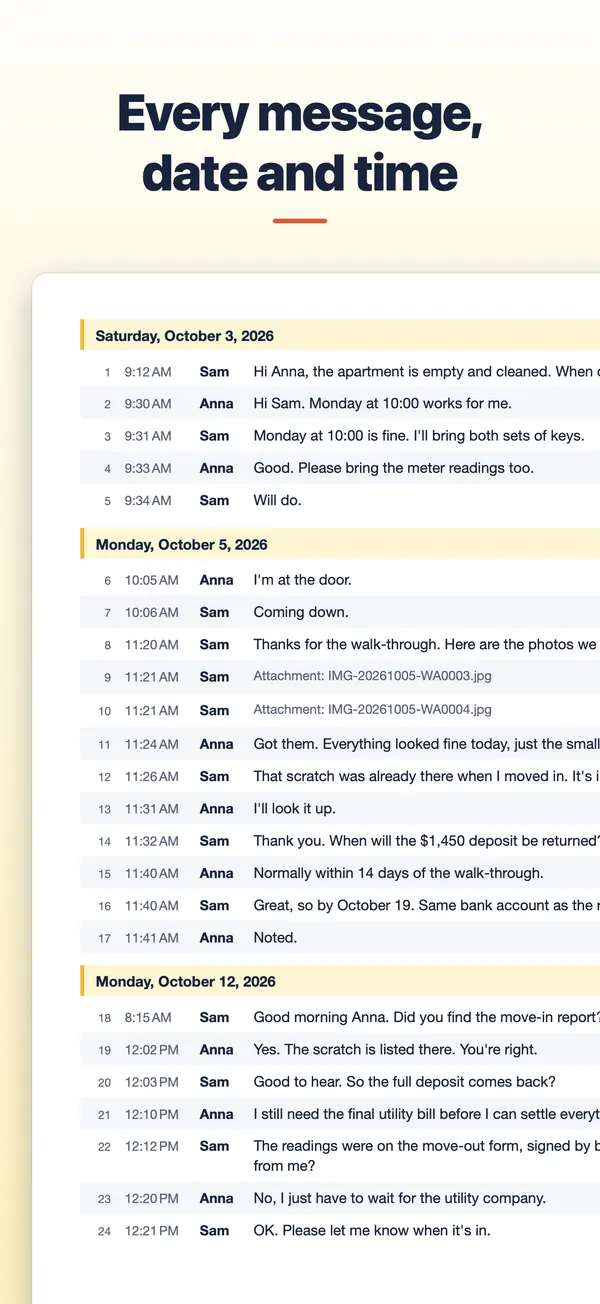
- A cover page with the people in the chat, the first and last date, and the number of messages.
- Numbered rows with time, sender and message, and a heading for each day.
- Photos from an export with media as small pictures in their rows. Where a photo was left out of the export, the PDF says "Media not included in the export".
- A source files page with the name, size and SHA-256 fingerprint of the ZIP file and the chat text inside it.
- Group chats keep every sender's name, as WhatsApp wrote it in the export.
TextMint is free to download and to try. Without a purchase, an export holds the first 3 message pages and carries a PREVIEW mark. A full export is a one-time purchase: One Export for one conversation, or TextMint Pro for every conversation. There is no subscription.
Everything happens on your phone. There is no account and your conversations are never uploaded. See the TextMint privacy policy.
Android
TextMint for Android
On Android, share the export straight from WhatsApp's share sheet to TextMint, or open the .zip or .txt file in TextMint. Then use Save as PDF, Print or Share PDF.
FAQ
Questions
Do I have to sign in to WhatsApp inside TextMint?
No. TextMint never connects to WhatsApp. It only reads the export file you give it, on your phone.
Does TextMint change my chat?
No. It works on a copy of the export. Your chat in WhatsApp stays as it is.
Does it work for group chats?
Yes. Every message keeps the name of its sender as it appears in the export.
With media or without?
With media puts the photos in the document as small pictures. Without media is faster and gives a smaller file.
Can I put the export back into WhatsApp?
No. WhatsApp says an export is a text file and cannot be imported back. Use WhatsApp's own backup for that.
Get TextMint
Turn a conversation into a clean, dated PDF
TextMint is free to download and to try. A full export is a one-time purchase, for one conversation or for every conversation. No subscription, no account, and your chats never leave your phone.
All TextMint guides · Export texts from iPhone to PDF · Text messages as evidence · Print text messages
WhatsApp is a trademark of WhatsApp LLC. TextMint is not affiliated with it.
Sources
Sources
We link to the pages behind every statement about another app or platform. They can change after the date we checked them.
- How to export your chat history (iOS), WhatsApp Help Center. Checked November 14, 2026.
- How to export your chat history (Android), WhatsApp Help Center. Checked November 14, 2026.