 Bumblly
TextMint guide
How to save text messages from an Android phone as a PDF
Android phones back up your texts, but a backup is for putting them back on a phone, not for reading or sending. To keep one conversation as a document, you need a file you can open. Here are the ways to get one.
We make TextMint, an app that turns conversations into dated PDFs. The free ways come first.
Built in
What Android backs up
Google's Android Help says your phone backs up SMS and MMS messages to your Google Account, and that you can restore that backup to the same phone or another Android phone (Android Help). It is a way to move or rescue messages. It does not give you a document you can read, print or send.
Free
Screenshots and screen recordings
Press Power and Volume down to take a screenshot. On Android 12 and later, Capture more captures a longer part of a screen that scrolls. Screen record is in Quick Settings (Android Help).
This is fine for a few messages. For a long conversation, see how to turn chat screenshots into one PDF.
Free
An SMS backup file
Backup apps can save your texts as a file. SMS Backup & Restore by SyncTech, for example, backs up text messages in XML format and can keep the file on the phone or upload it to Google Drive, Dropbox, OneDrive or email (SyncTech). SyncTech also has a viewer for those files that runs in your web browser; it says the file is never uploaded to a server (SyncTech).
An XML backup holds every conversation in one file. It is complete, but it is not something you can hand to a lawyer or a landlord as it is.
TextMint for Android
Turn one conversation from the backup into a PDF
Google Play restricts which apps may read text messages (Play Console Help). TextMint does not ask for that permission, or for your contacts or photos. It reads the backup file you give it, on your phone, and keeps only the conversation you pick.
- Make a backup file. Back up your text messages as an XML file with an SMS backup app, and keep the file on your phone.
- Open it in TextMint. Tap Add a conversation, choose SMS backup file and tap Choose backup file. You can also share the file to TextMint.
- Pick the conversation. TextMint lists the conversations in the backup with names, dates and the number of messages. Group conversations are marked. Pick one.
- Check the document. Tap Options for the title, the paper size and the names.
- Save, print or share. Tap Save as PDF, Print or Share PDF.
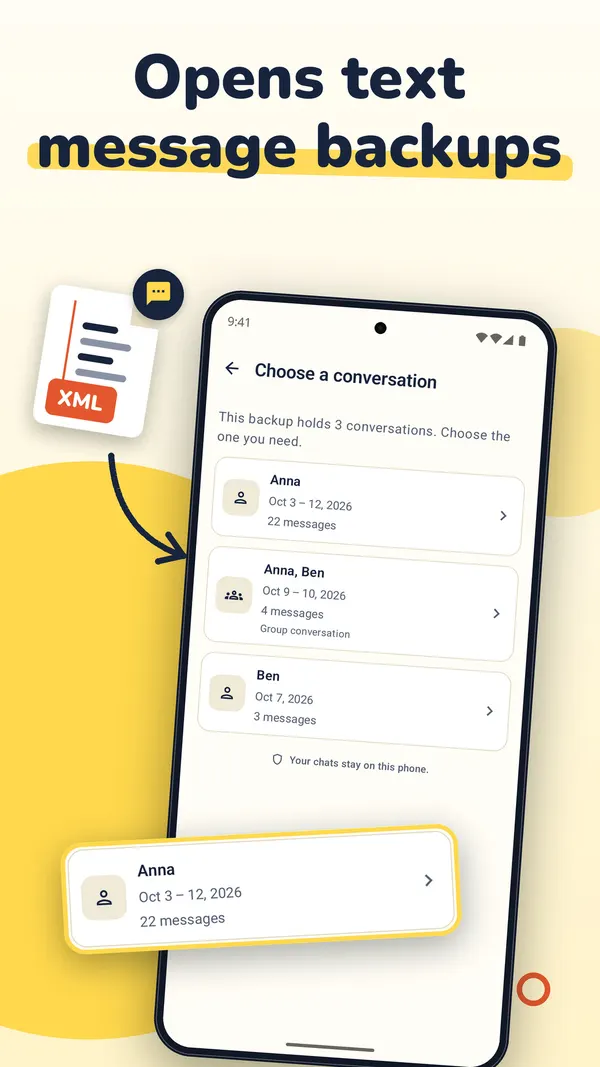
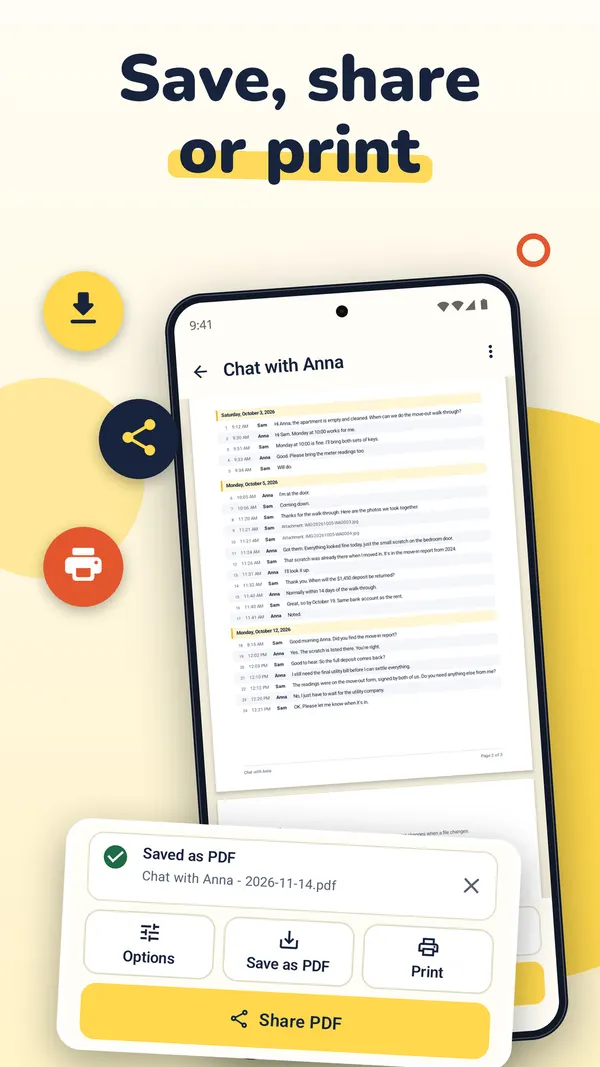
The PDF has every message as a numbered row with its date, time and sender, and page numbers on every page. You can also use screenshots, a screen recording, a WhatsApp export or pasted text.
TextMint is free to download and to try. Without a purchase, an export holds the first 3 message pages and carries a PREVIEW mark. A full export is a one-time purchase: One Export for one conversation, or TextMint Pro for every conversation. There is no subscription.
FAQ
Questions
Can I open Google's backup of my texts as a file?
Google's help describes restoring that backup to an Android phone. It does not describe opening it as a document. For a file, use a backup app that saves your texts as an XML file.
What is an XML backup file?
A text file in which every message is one entry with its phone number, date and text. Backup apps use it so they can restore your messages later.
Is a scrolling screenshot enough?
For a short exchange, often yes. For a long conversation, a picture of many screens is hard to read and has no page numbers or dates on every message.
Do I need a computer?
No. Every way on this page works on the phone.
Get TextMint
Turn a conversation into a clean, dated PDF
TextMint is free to download and to try. A full export is a one-time purchase, for one conversation or for every conversation. No subscription, no account, and your chats never leave your phone.
All TextMint guides · Print text messages · Chat screenshots to one PDF · Text messages as evidence
Sources
Sources
We link to the pages behind every statement about another app or platform. They can change after the date we checked them.
- Back up or restore data on your Android device, Android Help. Checked November 14, 2026.
- Take a screenshot or record your screen on your Android device, Android Help. Checked November 14, 2026.
- SMS Backup & Restore, SyncTech. Checked November 14, 2026.
- View backup files, SyncTech. Checked November 14, 2026.
- Use of SMS or Call Log permission groups, Play Console Help. Checked November 14, 2026.