 Bumblly
DocMint guide
How to black out text in a PDF so it is really gone
You drew a black box over a name in a PDF and sent it. It looks safe. But in many PDFs the name is still there, under the box, and anyone can copy it out. Here is why, how to check a file yourself, and what really removes the text.
We make DocMint, an app that redacts PDFs on iPhone, iPad and Android. Most of this guide applies to any app.
The problem
Why a black box hides nothing
A PDF stores words as text. That is why you can search a PDF and copy from it. A rectangle or a thick black highlight drawn on top is a separate shape. It covers the words on screen, but the words stay in the file. Copy and paste, a search, or another PDF app can bring them back.
The American Bar Association's Judges' Journal described a well-known case. In January 2019, lawyers for Paul Manafort filed a PDF in a US federal court with passages under black boxes. People copied the text into another document and the hidden passages appeared. The column names two likely causes: text that was highlighted black in a word processor before it became a PDF, or black rectangles drawn over the text in the PDF (The Judges' Journal).
Hidden places
Where else private data hides in a PDF
Adobe makes the same point from the other side: redaction removes visible text and graphics, and hidden data such as metadata or embedded content has to be removed separately (Adobe Help). Things to think about:
- Metadata: the author, title and the program that made the file.
- Attachments and embedded files.
- Comments and form fields filled in by you or someone before you.
- The text layer of a scan. A searchable scan is a picture with a hidden layer of recognized text. A box on the picture does not touch that layer.
Check
How to check a PDF before you send it
- Search the file for a word you covered.
- Select all and copy, then paste into a note or an email draft. This is the test that exposed the 2019 filing.
- Open it in a second app, for example on a computer.
- Look at the document properties in a PDF app for the author and title.
If a covered word shows up in any of these, the box did not remove it.
Solutions
What really removes the text
- A redaction tool that rewrites the file. On a computer, Adobe Acrobat Pro has one, with an option to remove hidden information as well (Adobe Help). On a phone, DocMint does this on iPhone, iPad and Android.
- Turning the page into a picture. A screenshot of the page with the box on it has no text under the box. You lose sharpness, and the text can no longer be searched or copied.
DocMint
How DocMint does it
DocMint rewrites the page: the letters under each box are taken out of the page itself, and pictures under a box are painted over. It then saves a new PDF built from the pages only, so metadata and attached files do not come along. When it cannot place a font's letters exactly, it turns that page into a picture with the boxes painted in, and tells you which pages it flattened.
- Import the PDF into DocMint. Tap Import, then Import PDF.
- Open Redact. Open the document and tap Redact in the row of tools under the page.
- Drag boxes over what must go. One box per name, number or picture, on every page where it appears.
- Export redacted PDF. DocMint builds a new file and opens the share sheet. The original stays unchanged.
- Check it. Search the new file for a word you covered, or copy its text into a note.
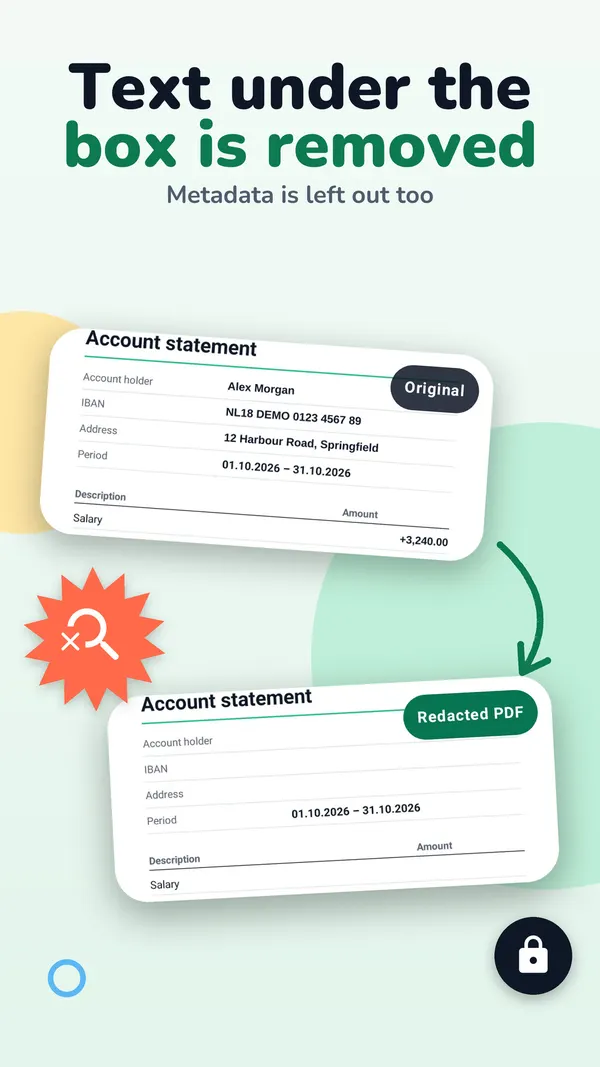
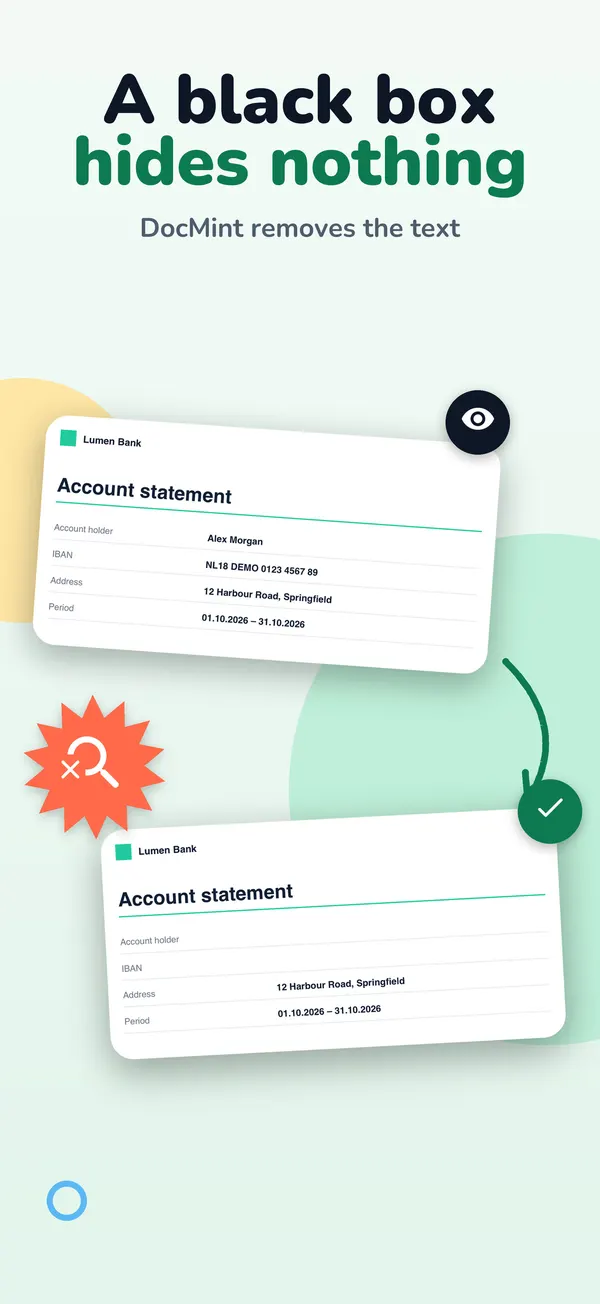
- Only what is under a box is removed. If the same name appears on another page, mark it there too. Search the document before you export.
- Cover whole words. A thin box over only the top or bottom of the letters can miss them. Make the box a little larger than the text.
- Older versions. DocMint 1.2.7 and 1.2.8 for iPhone, and Android versions before 1.1.0, could leave part of the covered text in the file when a PDF used certain common fonts. This was fixed in November 2026. If you shared a redacted PDF made with an older version, redact the original again and share the new file.
Marking areas is free. Exporting a redacted PDF is part of DocMint Pro, which is a one-time Lifetime purchase or a monthly subscription. The store shows the price before you buy.
FAQ
Questions
Is a black highlighter the same as a black box?
Yes, it has the same problem. Both are drawn on top of the text.
Does saving the PDF again remove the text under the box?
Not reliably. When a document with blacked-out text is turned into a PDF, the text can still be there, as in the 2019 case. Always check with search or copy and paste.
Is a scanned document safe?
Only if no recognized text sits under the box. DocMint leaves the recognized text out of every page that has a redaction.
Can DocMint find every place a name appears?
No. You mark each area yourself. Search the document first so you know every place to cover.
Get DocMint
Scan, sign and redact PDFs on your phone
DocMint is free to download. Scanning, text recognition and signing are free; DocMint Pro adds redacted PDF export and exports without the DocMint mark. No account, and your documents stay on your phone.
All DocMint guides · Redact a PDF on iPhone · Redact a PDF on Android · Remove personal data from a PDF
Sources
Sources
We link to the pages behind every statement about another app or platform. They can change after the date we checked them.
- Embarrassing Redaction Failures, Herbert B. Dixon Jr., The Judges' Journal, American Bar Association. Published May 1, 2019. Checked November 14, 2026.
- About redacting and sanitizing PDFs in Acrobat Pro, Adobe Help. Last updated October 22, 2026. Checked November 14, 2026.
- Redact sensitive content in Acrobat Pro, Adobe Help. Last updated August 31, 2026. Checked November 14, 2026.