 Bumblly
Naptara guide
How to use an iPad as a baby monitor
An iPad can play either part of a baby monitor: the camera in the nursery, or the big screen you watch on in the living room. Here is which iPads work, how to set one up with your iPhone, and what to watch out for at night.
We make Naptara, the app in this guide. The safety tips apply to any baby monitor.
Free way
The quick way: a video call
A FaceTime video call between the iPad and your iPhone shows the room too (Apple Support). For a nap it can do. As a nightly baby monitor it falls short: both devices are busy with the call, the call ends when the connection drops, and there are no alerts. A baby monitor app is made for exactly this job.
Which iPads
Which iPads work
Naptara needs iPadOS 16 or later. Apple lists these iPads as compatible with iPadOS 16: iPad (5th generation) and later, iPad mini (5th generation) and later, iPad Air (3rd generation) and later, and every iPad Pro (Apple Support). To see your version, open Settings > General > About (Apple Support).
The other device can be an iPhone with iOS 16 or later, which means an iPhone 8, iPhone X or newer (Apple Support), another iPad, or an Android phone with Android 8.0 or later.
Which role
Camera or screen: what an iPad is good at
The iPad as the Baby Station (the camera in the nursery):
- Naptara uses the back camera, so the screen faces away from the crib. Naptara keeps the screen awake while it monitors; tap Dim Baby Station screen to keep the room dark.
- The soft night light uses the camera flash at a low level. If your iPad has no flash, Naptara says so and suggests night view with a dim room light. Night view brightens a dark picture; it is not infrared.
- Keep Naptara open on the iPad. The camera needs the app in the foreground, and iPadOS can pause apps in the background.
- An iPad is bigger and heavier than a phone. A stand or a wall mount is safer than leaning it against something.
The iPad as the Parent Monitor (the screen you watch on):
- A big, clear picture, handy on the couch or the kitchen counter.
- An iPad without a cellular plan shows the baby only where it has Wi-Fi. At home on the same network that is free. Watching over another Wi-Fi network or mobile data is part of Naptara Pro.
- Do not force-quit Naptara on the Parent Monitor, and keep it charging overnight.
Step by step
Set up an iPad and a phone in six steps
- Install Naptara on both devices. Install Naptara on the iPad and on the device you will watch on. Charge both and connect them to your home Wi-Fi.
- Choose the roles. On the device that goes to the nursery, choose Baby Station and allow camera and microphone access. On the other device, choose Parent Monitor.
- Pair them. On the same Wi-Fi the two find each other automatically; an iPhone or iPad asks once for Local Network access, so allow it. Otherwise, let the Baby Station show its six-character code and QR code, then scan or type it on the Parent Monitor.
- Place the Baby Station. Put it on a stable stand or mount with a view of the crib, at least three feet from the crib and out of your baby's reach. Never in or on the crib.
- Plug it in. Keep the Baby Station on the charger, uncovered, with Naptara open. Keep the cable out of reach too.
- Set up the Parent Monitor. Turn the volume up and keep the Parent Monitor charging if you watch through the night.
Power
Battery, warmth and the connection
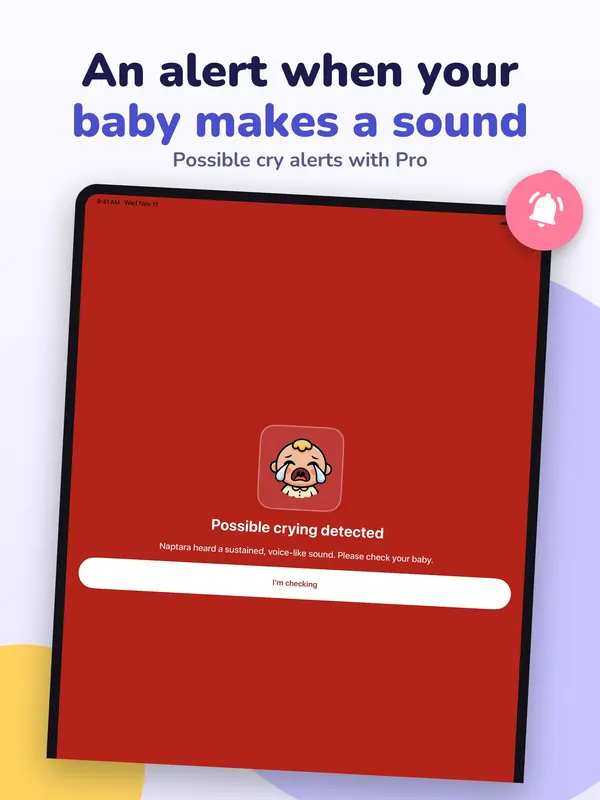
- The Parent Monitor warns you when the Baby Station battery drops to 15 %, when it stops charging, and when it gets warm.
- If the Baby Station gets warm, take off a thick case and leave space around it.
- Naptara also tells you when the connection to the Baby Station drops.
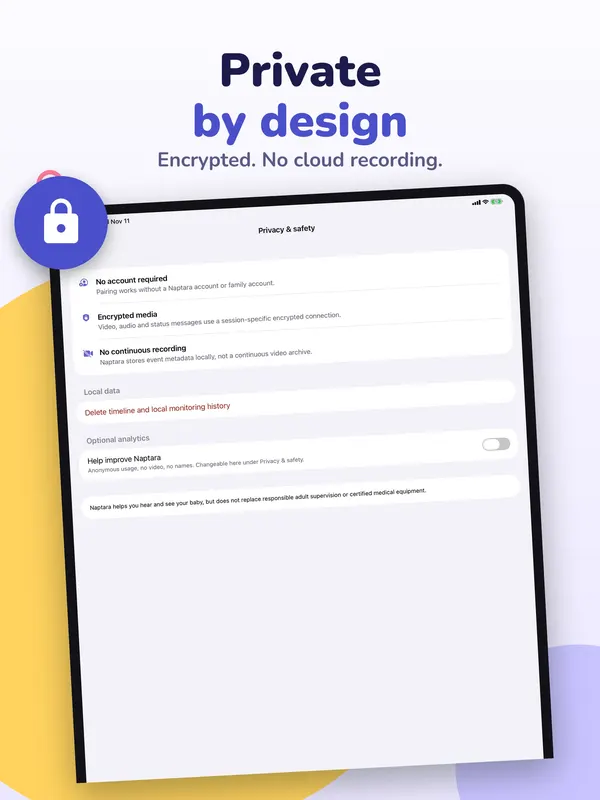
- Video and sound are encrypted, and Naptara does not store your video.
Safety
What to watch out for
- The U.S. Consumer Product Safety Commission advises keeping baby monitors and their cords at least three feet away from the crib (CPSC).
- Naptara is not a medical device. It does not monitor breathing or health, and its alerts are estimates that can be wrong. The American Academy of Pediatrics says there is no evidence that home monitors, such as heart rate and oxygen monitors, lower the risk of SIDS, and warns against a false sense of security (AAP).
- A baby monitor app does not replace adult supervision. When in doubt, go and look.
Using an old phone instead? See how to use an old phone as a baby monitor.
FAQ
Questions
Can an iPad without cellular watch the baby from away?
Yes, over any Wi-Fi network, with Naptara Pro. At home on the same Wi-Fi you need no subscription. A Wi-Fi-only iPad cannot watch where there is no Wi-Fi.
Can I use an iPad and an Android phone together?
Yes. iPhone, iPad and Android phones work together in any combination.
Does the iPad have to stay on all night?
Yes, as the Baby Station. Keep Naptara open and the iPad on the charger. You can dim its screen.
Does Naptara record my baby?
No. Video and sound are encrypted, and Naptara does not store your video.
Get Naptara
A baby monitor made from devices you already have
Naptara is free to download. At home on the same Wi-Fi you watch and listen without a subscription. Naptara Pro, a monthly or yearly plan, adds watching from anywhere and two-way talk. No account needed.
All Naptara guides · Old phone as a baby monitor · App or dedicated monitor?
Sources
Sources
We link to the pages behind every statement about another app, product or organization. They can change after the date we checked them.
- Make FaceTime calls on iPhone, Apple Support, iPhone User Guide. Checked November 14, 2026.
- iPad models compatible with iPadOS 16, Apple Support, iPad User Guide. Checked November 14, 2026.
- Find the software version on your iPhone, iPad, or iPod touch, Apple Support. Published October 12, 2026. Checked November 14, 2026.
- iPhone models compatible with iOS 16, Apple Support, iPhone User Guide. Checked November 14, 2026.
- Top tips: Safer spaces for baby (PDF), U.S. Consumer Product Safety Commission. Checked November 14, 2026.
- How to keep your sleeping baby safe: AAP policy explained, HealthyChildren.org, American Academy of Pediatrics. Last updated September 11, 2026. Checked November 14, 2026.