 Bumblly
Guide
How to use an old iPhone or Android phone as a baby monitor
Got an old iPhone, iPad or Android phone sitting in a drawer? With the Naptara baby monitor app it becomes a baby monitor camera, and your own phone becomes the screen you watch and listen on. Here is how to set it up.
We make Naptara, so this guide is about our app. The tips on placement, power and safety apply to any baby monitor app.
Before you start
What you need
- The old phone or tablet. It becomes the Baby Station by the crib. An iPhone needs iOS 16 or later, which means iPhone 8 or iPhone X and newer; an Android phone needs Android 8.0 or later. To check your version, go to Settings > General > About on an iPhone, or Settings > About phone on most Android phones.
- Your own phone. It becomes the Parent Monitor. iPhone, iPad and Android phones work together in any combination.
- A charger with a cable for the Baby Station. Old phone batteries often do not last a whole night.
- Home Wi-Fi. The old phone needs no SIM card and no phone plan.
- A stable spot or a mount with a view of the crib.
Step by step
Set it up in five steps
- Get the old phone ready. Charge it, turn on Wi-Fi and install Naptara. Install the app on your own phone too. Update both devices if an update is waiting.
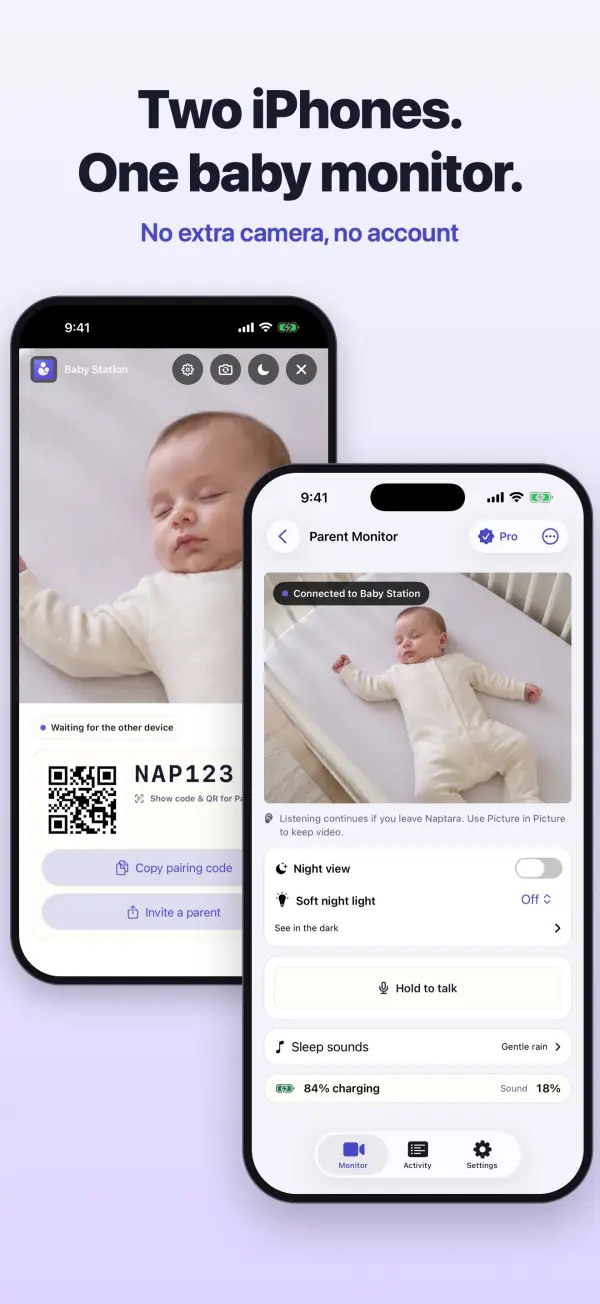
- Choose the roles. Open Naptara on the old phone and choose Baby Station. Allow access to the camera and microphone; without it the Baby Station cannot start. Open Naptara on your own phone and choose Parent Monitor.
- Pair the two. When both devices are on the same Wi-Fi, they find each other automatically. An iPhone asks once for Local Network access: allow it. If they do not find each other, or you are on a different network, let the Baby Station show its six-character code and QR code, then scan the QR code or type the code on your Parent Monitor.
- Place the Baby Station. Choose a stable spot with a view of the crib, out of your baby's reach. Never in or against the crib. Route the cable so your baby cannot get to it.
- Plug it in. Keep the Baby Station on the charger and do not cover it, so it does not get too warm. Naptara tells you when the Baby Station's battery is running low.
At home or away
Home Wi-Fi and watching from somewhere else
- At home, on the same Wi-Fi: live video and sound with no subscription.
- From somewhere else: watching over another Wi-Fi network or cellular data is part of Naptara Pro, a monthly or yearly plan. Pair with the code or QR code.
- Guest Wi-Fi: guest networks and some routers stop phones from finding each other. A pairing code works on any network.
- Second parent: can join with the same code or QR code.
At night
Tips for the night
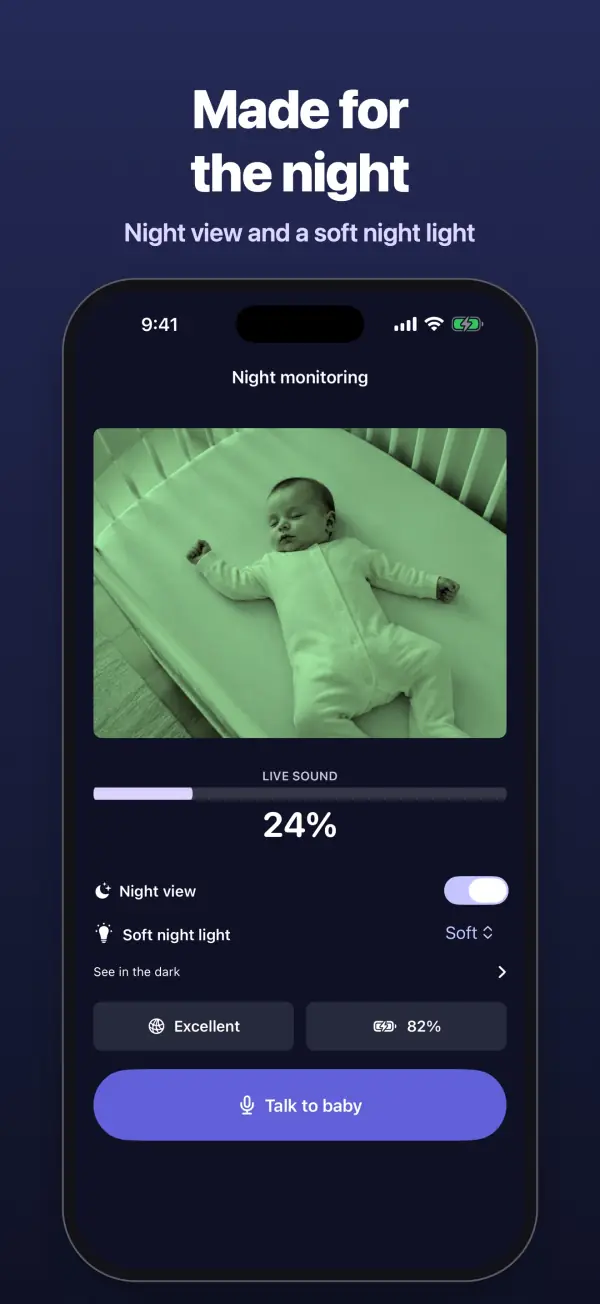
- Turn the volume on your Parent Monitor up enough and keep it on the charger. You keep listening with the screen off.
- Use night view in a dark room: it brightens a dark picture. It is not infrared.
- Android as the Baby Station: if the app asks about the battery setting, choose the option without restrictions (often called Unrestricted), so the Baby Station keeps running with the screen off.
- Turn off notifications from other apps on the Baby Station, so no sound or light reaches the nursery.
Safety
What to watch out for
- The Baby Station does not belong in or against the crib, and the cable must stay out of your baby's reach.
- Do not cover the Baby Station or put it in the sun or on a heater.
- Naptara is not a medical device. It does not monitor breathing or health, and alerts are estimates that can be wrong. A baby monitor app does not replace adult supervision: go and check in person when in doubt.
FAQ
Questions
Does the old phone need a SIM card or a phone plan?
No. The Baby Station uses your Wi-Fi. No SIM card and no phone plan are needed.
Do both devices have to be the same brand?
No. iPhone, iPad and Android phones work together in any combination.
Can I watch when I am not at home?
Yes, with Naptara Pro. On the same home Wi-Fi you need no subscription; watching over another network or cellular data is part of Pro.
Can a second parent watch too?
Yes. A second parent can join with the same pairing code or QR code.
Does Naptara record my baby?
No. Video and sound are encrypted and Naptara does not store your video.
Get started
Download Naptara
Free to download. At home on the same Wi-Fi you watch without a subscription.