 Bumblly
PupWatch guide
A dog camera app without a subscription: what is possible
You want to see what your dog does when you are not in the room, without signing up for yet another monthly plan. That is possible, with limits. Here are the options, what each one costs, and where PupWatch fits in.
We make PupWatch, the app in this guide. We explain the free ways first, and we say where PupWatch needs a paid plan.
Short answer
Ways to skip the subscription
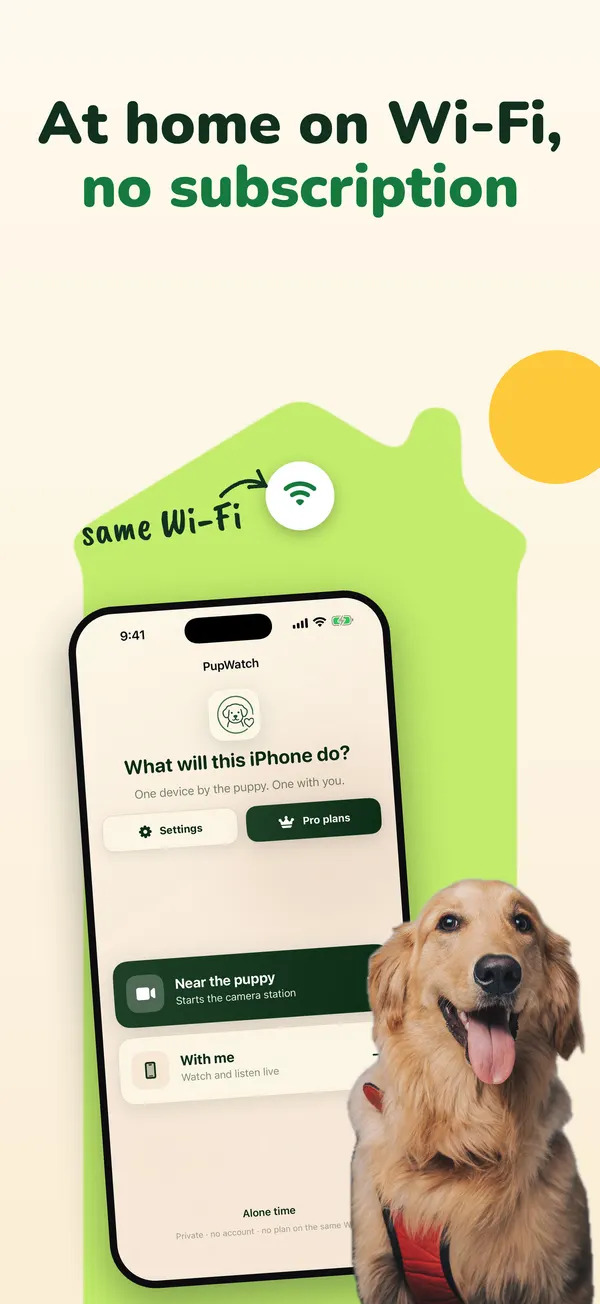
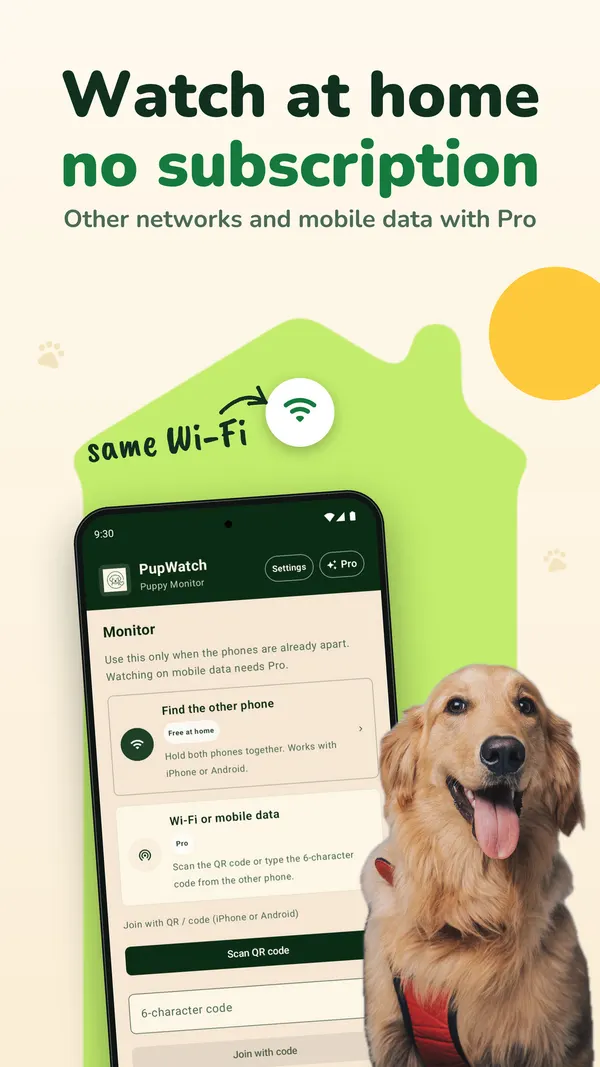
- Watch on your home Wi-Fi. PupWatch shows live video and sound for free when both phones are on the same Wi-Fi. No account and no plan.
- Pay once for an app. Some apps are a paid download. On the US App Store, Dog Monitor by TappyTaps costs $6.99, shows no in-app purchases, and says it works on Wi-Fi and cellular networks (App Store page).
- Buy a one-time option inside a free app. Some free apps sell a lifetime purchase next to their subscriptions. Barkio's US App Store page lists a "Barkio Premium Lifetime Plan" at $99.99, next to weekly, monthly and annual plans (App Store page).
A camera made for pets is another route. You pay for the device, and the app is built around it: the Furbo app's page says it needs a Furbo camera (App Store page). Check on the maker's own site what works without its paid plan.
Prices are those shown on the US App Store on November 14, 2026. They change and differ per country.
Free at home
What PupWatch does without a subscription
PupWatch turns two phones into a dog camera. One phone stays with your dog, the other stays with you. When both are on the same Wi-Fi, you get:
- Live video and sound from the camera phone.
- No account and no sign-up. You pair the phones with a six-character code or a QR code.
- A second person can watch with the same code.
- iPhone, iPad and Android phones work together.
How PupWatch knows you are home. The camera phone announces itself on your local network, and your phone looks for that announcement. An iPhone asks once for Local Network access: allow it. Some guest networks and routers keep devices apart. Then PupWatch cannot see that both phones are at home, and watching counts as watching from elsewhere.
Leave home with your phone and PupWatch notices within a few minutes. It tells you that you are no longer on the same Wi-Fi and shows the Pro plans.
Pro
What needs PupWatch Pro
- Watching from anywhere: over another Wi-Fi network or mobile data, for example from work.
- Two-way talk, so your dog can hear your voice.
- On iPhone and iPad: the alone-time planner with calendar sync and reminders.
- On Android: possible barking alerts, night view with a soft light from the flash, and sleep sounds on the camera phone.
PupWatch Pro is a subscription, monthly or yearly. The store shows the price in your currency before you buy. Pro is only needed on the phone you watch on; the camera phone does not need it. If you bought the older Lifetime Pro, you keep it.
Choosing
Which option fits you
- You only watch at home, for example a new puppy in its crate or a dog in the next room while you work: free on the same Wi-Fi is enough.
- You check in from work most weeks: compare a yearly plan with a one-time price. Over a few years, paying once can cost less.
- You need it for a few weeks, for example while you teach your dog to stay alone: a monthly plan you cancel afterwards can cost less than a lifetime purchase.
- You have no spare phone: a pet camera or a cheap used phone are the options. Check first that the phone can still install the app.
What you need
What you need for a phone dog camera
- Two phones or tablets. An iPhone or iPad needs iOS 18 or iPadOS 18 or later. For iPhones that means an iPhone XS, iPhone XR, iPhone SE (2nd generation) or newer (list from Apple). An Android phone needs Android 8.0 or later. To check, open Settings > General > About on an iPhone (Apple Support), or Settings > About phone on Android (Android Help).
- A charger with a cable for the camera phone. Sending video for hours empties a battery fast.
- Home Wi-Fi. The camera phone needs no SIM card.
- A spot with a view of the bed or crate, out of your dog's reach.
The setup takes a few minutes: see how to check on your dog with two phones.
FAQ
Questions
Is PupWatch free?
Downloading is free, and watching and listening are free when both phones are on the same Wi-Fi. Watching from elsewhere and two-way talk are part of PupWatch Pro, a monthly or yearly subscription.
Can I buy PupWatch Pro once instead of subscribing?
No. Pro is sold as a monthly or yearly subscription. An older Lifetime Pro purchase stays valid.
Do I need an account?
No. You pair the two phones with a six-character code or a QR code.
Does the camera phone need a SIM card?
No. It uses your Wi-Fi.
Does PupWatch record video?
No. PupWatch shows live video and sound and does not record them. On Android you can save a single snapshot when you tap for it.
Get PupWatch
Turn two phones into a dog camera
PupWatch is free to download. Live video and sound are free when both phones are on the same Wi-Fi. PupWatch Pro, a monthly or yearly subscription, adds watching from anywhere and two-way talk. No account needed.
All PupWatch guides · Check on your dog with two phones · Puppy's first nights
Sources
Sources
We link to the pages behind every statement about another app, product or organization. They can change after the date we checked them.
- Dog Monitor, US App Store page (seller: TappyTaps s.r.o.). Checked November 14, 2026.
- Barkio: Dog Monitor & Pet Cam, US App Store page (seller: TappyTaps s.r.o.). Checked November 14, 2026.
- Furbo - smartest pet camera, US App Store page (seller: Tomofun Co., Ltd). Checked November 14, 2026.
- iPhone models compatible with iOS 18, Apple Support, iPhone User Guide. Checked November 14, 2026.
- Find the software version on your iPhone, iPad, or iPod touch, Apple Support. Published October 12, 2026. Checked November 14, 2026.
- Check & update your Android version, Android Help. Checked November 14, 2026.